UOB Money Lock 2.0
MAS initiative: To keep bank customers safe from scams
$1B+
CASA funds locked
50K+
Customers registered
$3.9B
CASA funds locked
$6.3M
Project value
Role
Product Design Lead
Timeline
Jan – June 2024
Tools
Figma
Team
1 Content Designer · 1 PO · 10 Devs
Overview
As part of anti-scam measures, MAS mandated banks to enable a feature allowing customers to lock up their funds in CASA with the restriction of digital funds outflow. This provides customers a greater sense of security by limiting the amount of funds that could be lost digitally in the event of a fraud or scam attack.
Goal
Money Lock helps protect customers' account balance from being scammed. By setting up a higher Lock Limit, the chances of losing funds digitally are minimised. Any large transfer or withdrawal will be blocked with this feature in place.
The Solution
A 6-step user journey
Designed to guide customers through setting their first lock amount — balancing MAS compliance requirements with an experience that feels empowering, not restrictive.
CVP Screen
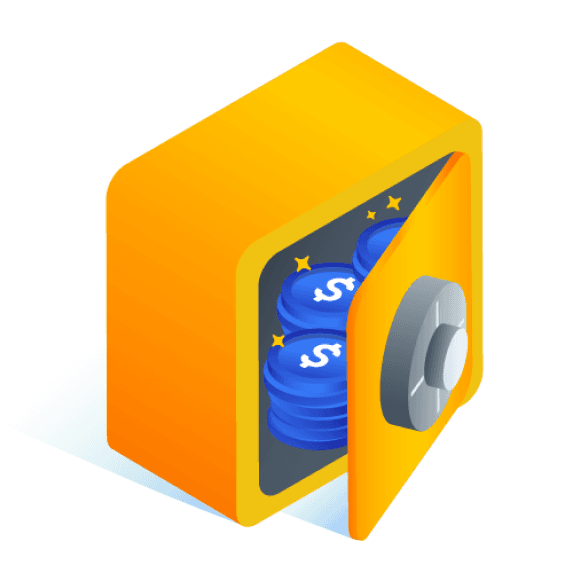
Communicate the value proposition of Money Lock clearly — a safe that protects cash from scams, unlockable only at a UOB ATM.
Select Account
Customer selects which eligible account to apply the money lock to, with withdrawable and available balances shown upfront.
Set Lock Amount
Customer sets a lock limit. Real-time display of withdrawable amount reinforces the concept before committing.
Cognitive Break
A deliberate pause that reinforces what locking means — building confidence before the customer commits.
Review & Confirm
Summary of the lock details before final commitment. Designed to reduce anxiety and post-transaction regret.
Successful
Clear success state with the locked amount displayed. Reinforces trust and gives customers immediate confidence.
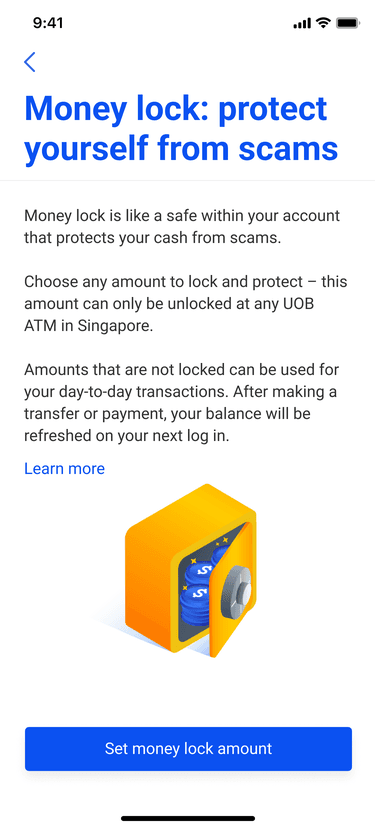
Step 1
CVP Screen
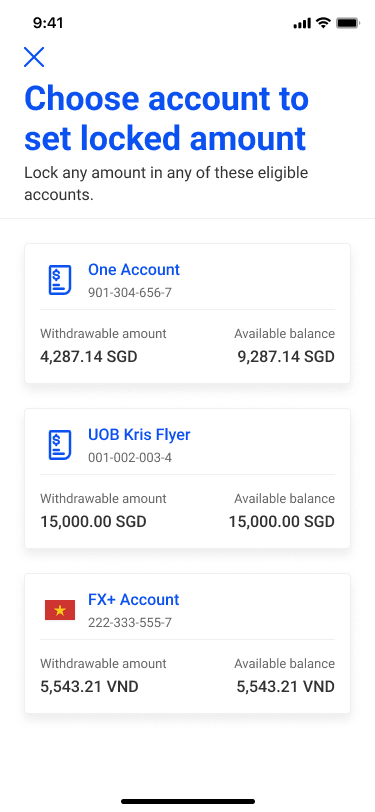
Step 2
Select Account
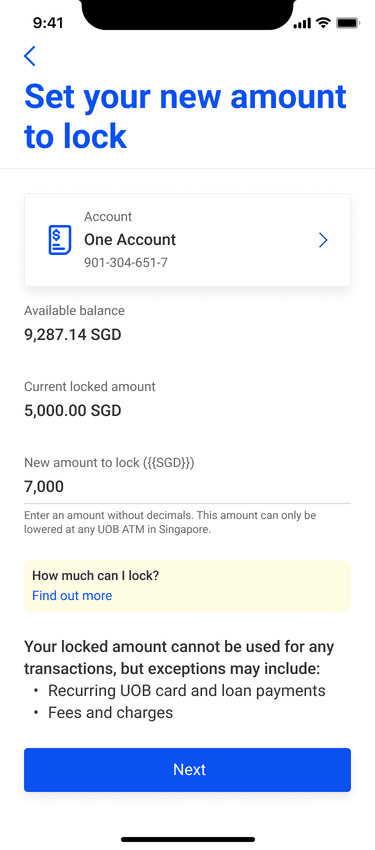
Step 3
Set Lock Amount
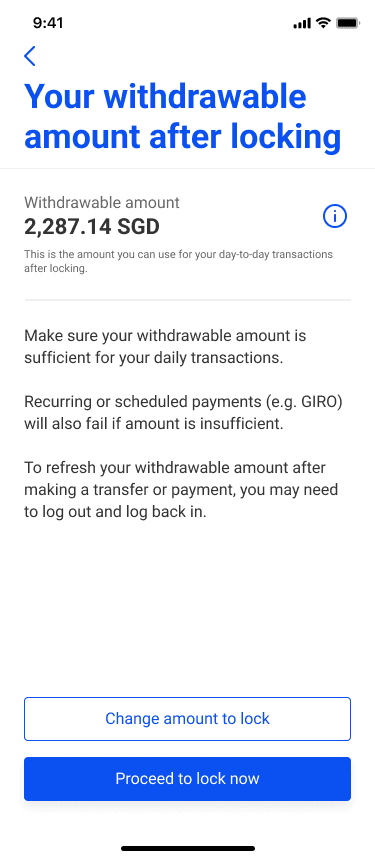
Step 4
Cognitive Break
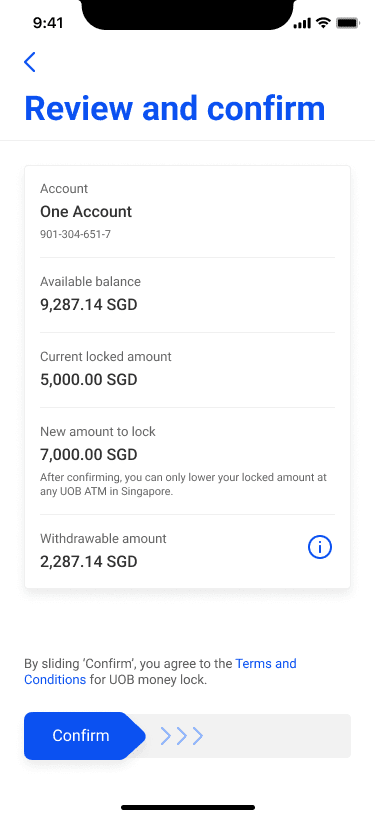
Step 5
Review & Confirm
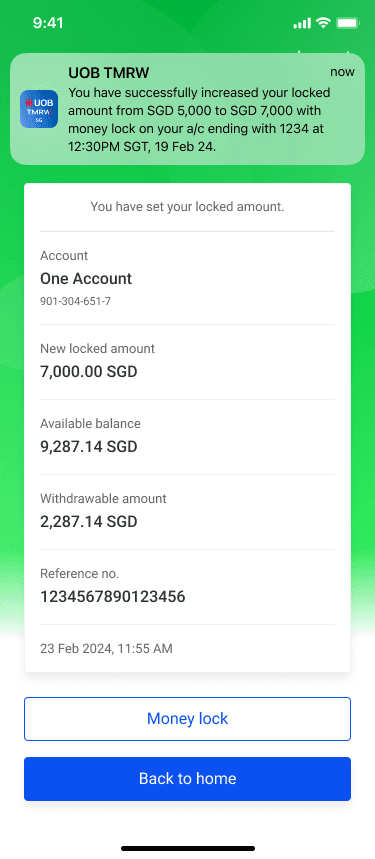
Step 6
Successful
Research & Insights
Insights from customer observations
User Testing Objectives
Explore preconceived expectations about 'money lock' products
Assess relevance of Money Lock 2.0 against competition and identifying improvement areas
Deep-dive on perceptions towards new features (i.e., limit vs locked away amount)
Test usability and understanding of new journeys
“I don't like the idea of money being taken away from the account. It feels more encrypted and protected when there is completely no access to it”
“It's ridiculous to set above the available balance! What for?! There is no point to that”
“I didn't think of a situation where someone would set above balance. It's scary that you might not have any available cash”
“I think it's useful, but I wouldn't lock accounts that I use day-to-day; will lock away emergency funds, accounts that I can leave aside”
Customers anticipate putting money aside cannot be touched, following OCBC and government constructs. Thus, allowing deductions and setting a limit above the available balance requires customer learning.
Usability Testing
Usability issues identified during testing
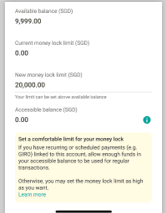
Money lock limit
Assumed they were setting aside money instead of a limit
Felt the term is very technical, did not understand why it was called a limit
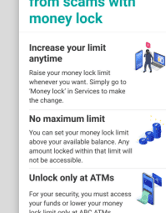
Money lock CVP
Concerned about restrictions and T&Cs
Did not know that they could only lower the limit and access locked amount through ATM
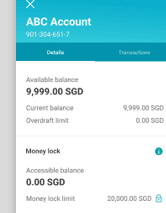
Accessible / available balance
Confusion between accessible and available balance
Observed participants using the terms interchangeably or wrongly
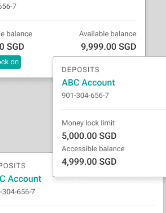
Account details
Thought 'Money lock on' meant they could no longer access the amount when making a transfer
Preference for version with all three amounts displayed
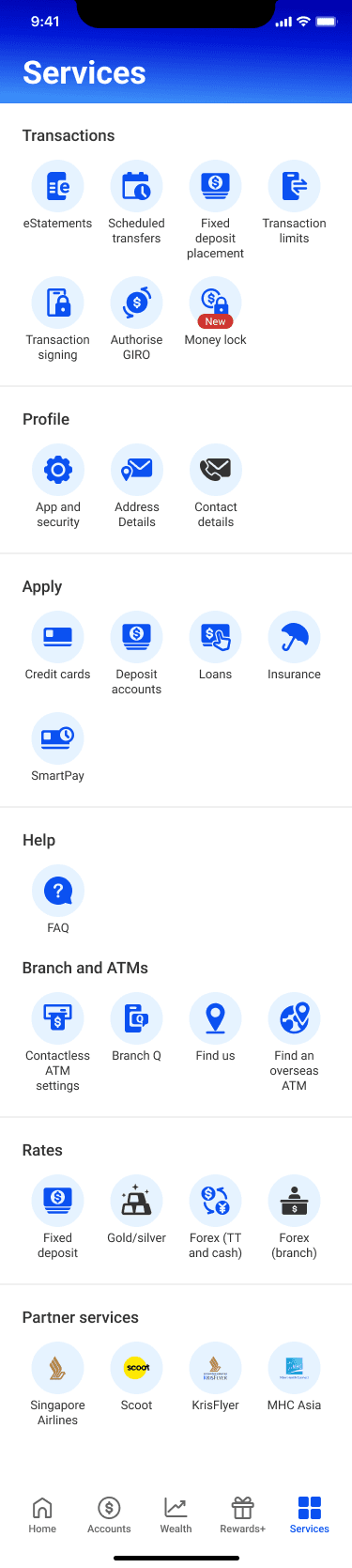
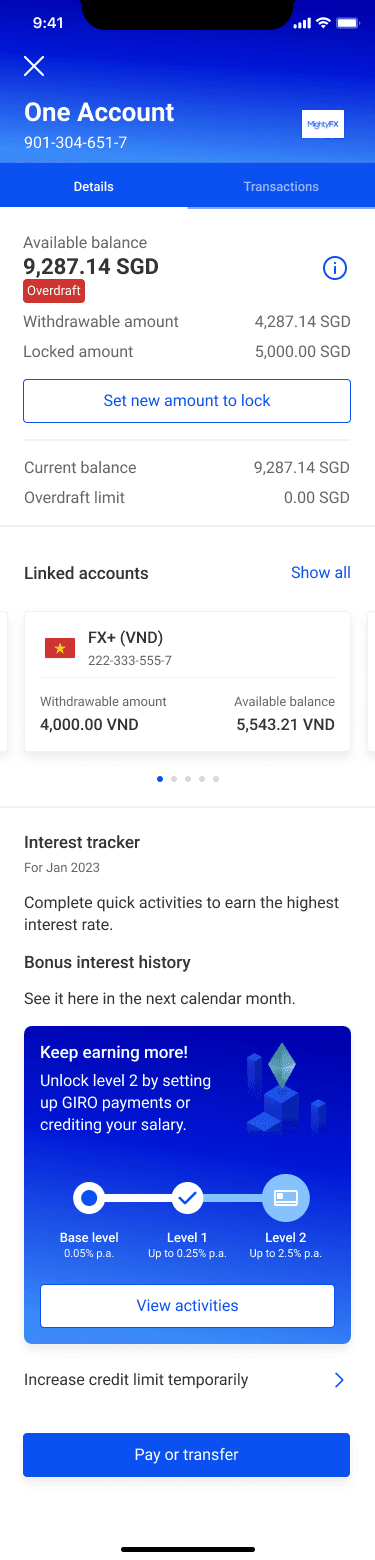
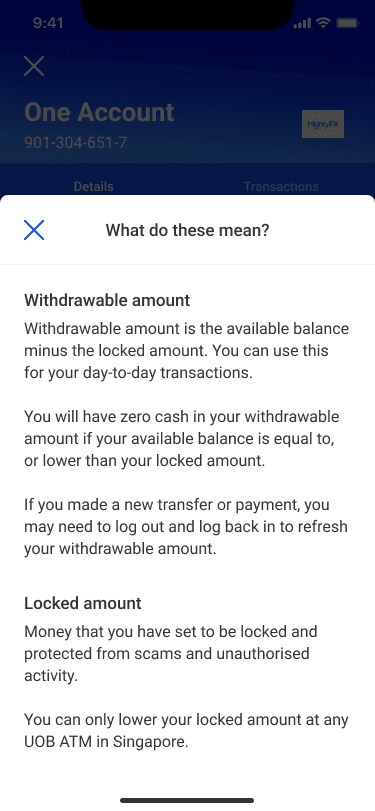
Opportunity to increase clarity of product construct through explanation of benefits and clearer labels
Terminology Workshop
Propose Terminology
During the project we facilitated discovery and empathy workshops at kickoff, and 2 design workshops throughout — to align the team, generate ideas, and establish shared ownership over content. The principle: use terminology that customers already understand, rather than inventing new terms.
Available Balance
Business as usual. No change to how this is computed. Customers already understand this number from everyday banking.
Locked Amount
Instead of asking customers to understand the concept of a limit, we simply ask how much they want to lock. More concrete, less abstract.
Withdrawable Amount
Available Balance minus Locked Amount. More tangible, easily distinguishable, and consistent with trading app conventions across channels.
Results
Metrics since launch
$1B+
CASA funds locked
Within first 2 days of launch
50K+
Customers registered
And locked their funds in month 1
$3.9B
CASA funds locked
Total within 3 weeks of launch
$6.3M
Project value
MAS mandate compliance
Learnings
Since launch I have gained valuable learning outcomes that will inform future efforts. By analysing user engagement, I gained insights into user preferences and behaviours, while performance evaluations helped me understand the feature's impact on retention and transactions. Continuous customer feedback enabled ongoing improvement to ensure the feature meets user needs effectively.
Next Steps
We plan to expand Money Lock to incorporate UOB wealth products within the TMRW mobile app, streamlining payment processes. We will also adapt this feature for desktop personal internet banking, ensuring a seamless experience across all platforms.
Next Case Study
Maritime · IIoT · Safety 4.0