Insurtech · Cross-sell · Research-Driven Design
FWD Insurance
Designing the X-SELL initiative — a research-led cross-sell experience that reframed insurance questionnaires as something people actually wanted to complete.
Role
Lead UX/UI Designer
Timeline
2019 – 2021
Platform
Web · Mobile iOS & Android
Markets
SG · HK · TH · PH · VN
Context
The disruptor in insurance — and the X-SELL initiative
FWD Insurance is one of Asia's fastest-growing digital insurers. Known as a disruptor in the space, its direct-to-consumer model lets individuals purchase life and general insurance online — bypassing the complexity and cost of traditional middlemen.
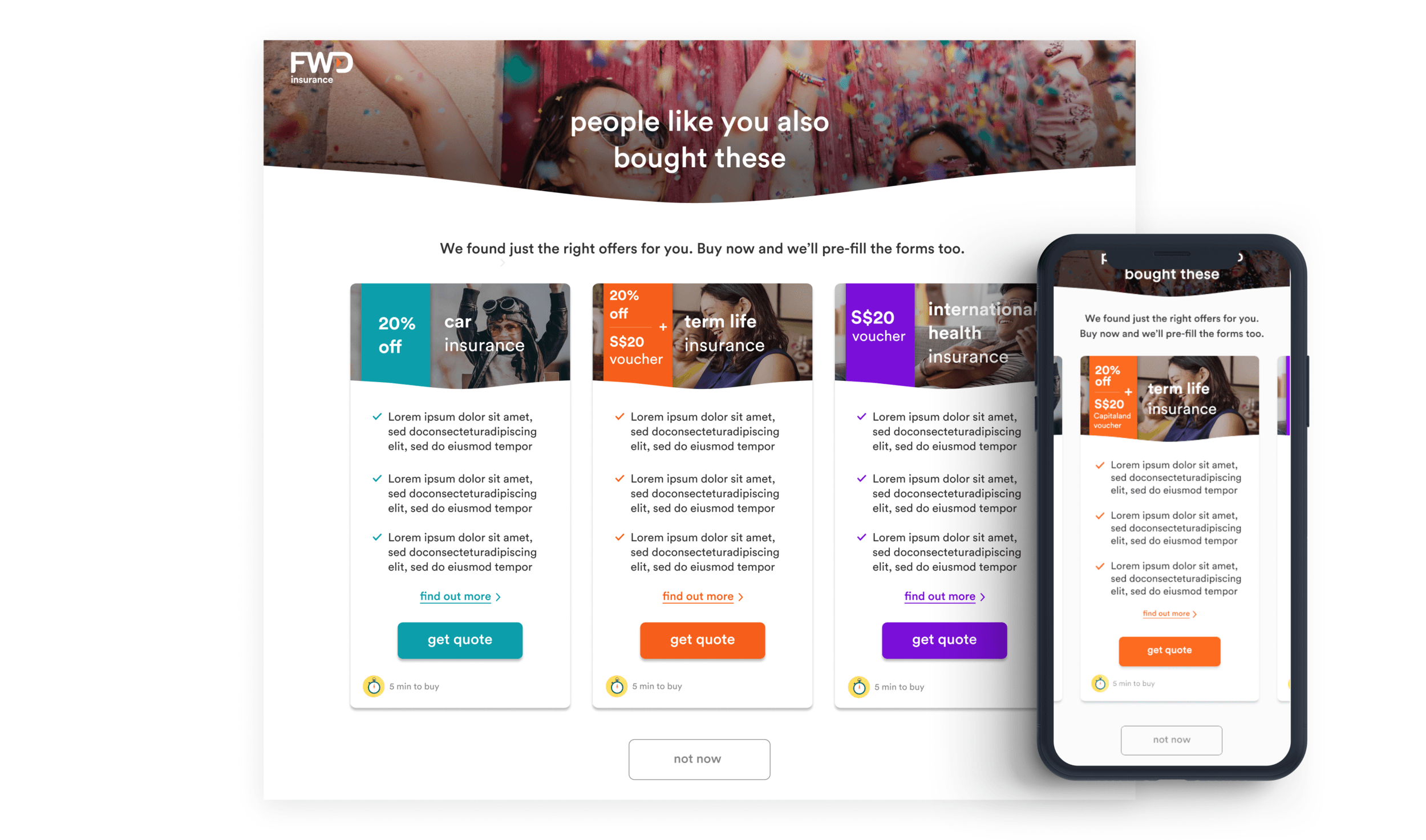
Among the many customer-centric initiatives I led at FWD, I'm sharing the design process behind one called the X-SELL— a cross-sell feature that would appear after a customer's first purchase, surfacing personalised insurance recommendations with exclusive vouchers. Inspired by Amazon. Constrained by insurance regulation. Challenged by research.
The challenge
Insurance purchases are already cognitively demanding. Asking customers to immediately begin another sales journey felt inherently wrong — but the business brief demanded it.
Three design tensions defined the project: when to surface the questionnaire without disrupting the primary journey, how to make a mandated number of questions feel brief, and how to design a second sales journey that felt nothing like the first.
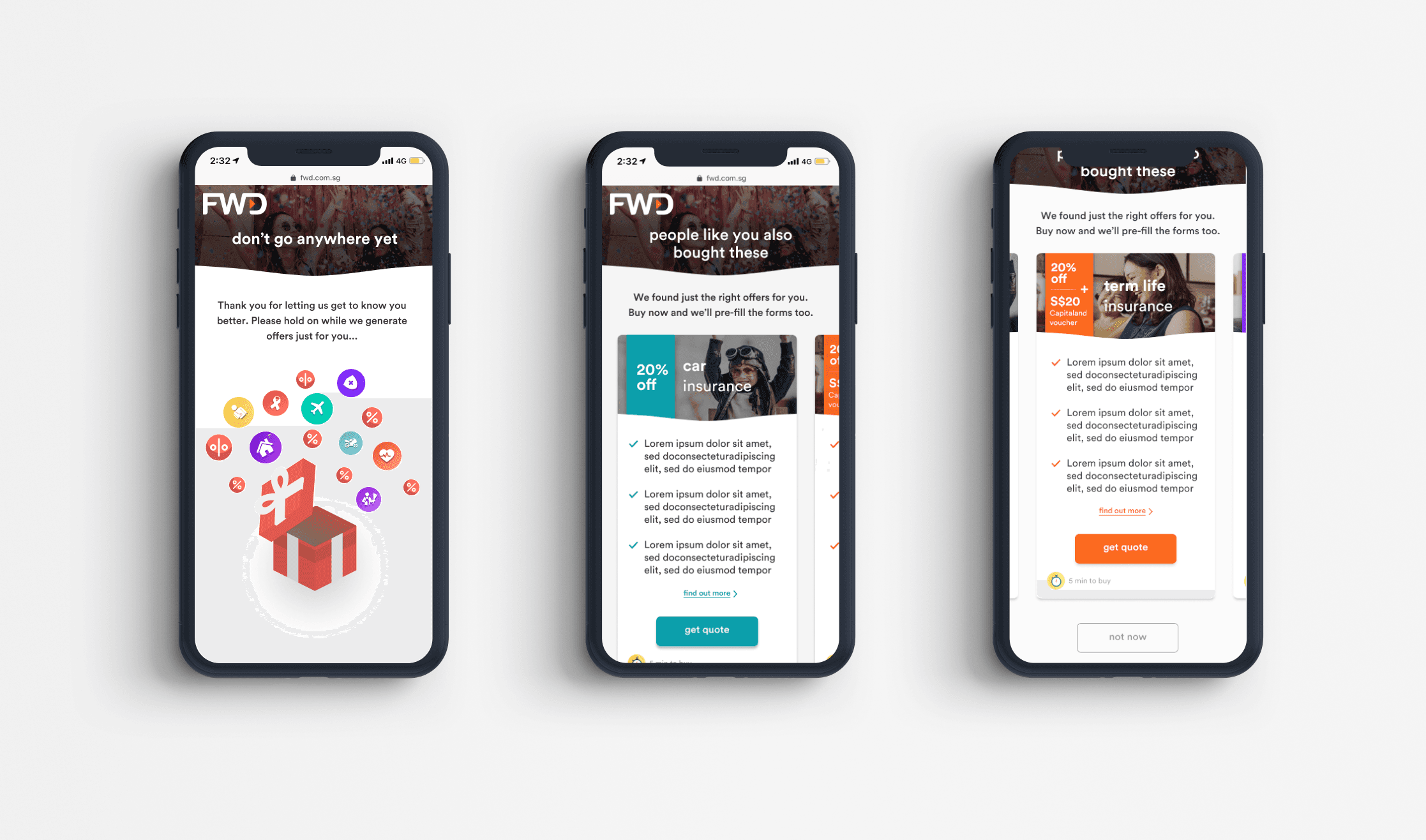
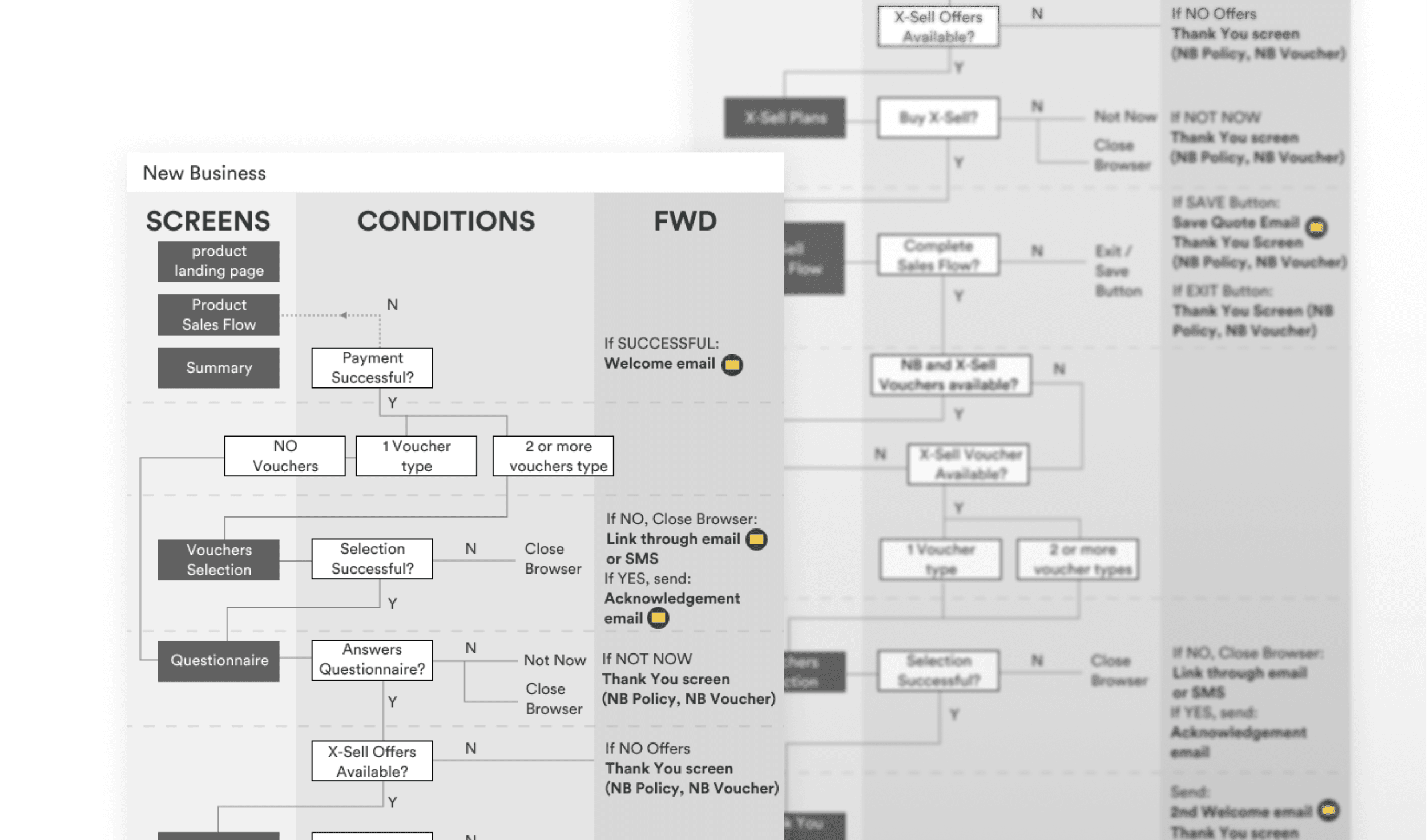
The X-SELL questionnaire on desktop and mobile — colourful, conversational, and nothing like purchasing insurance
My Steps
How I approached the X-SELL
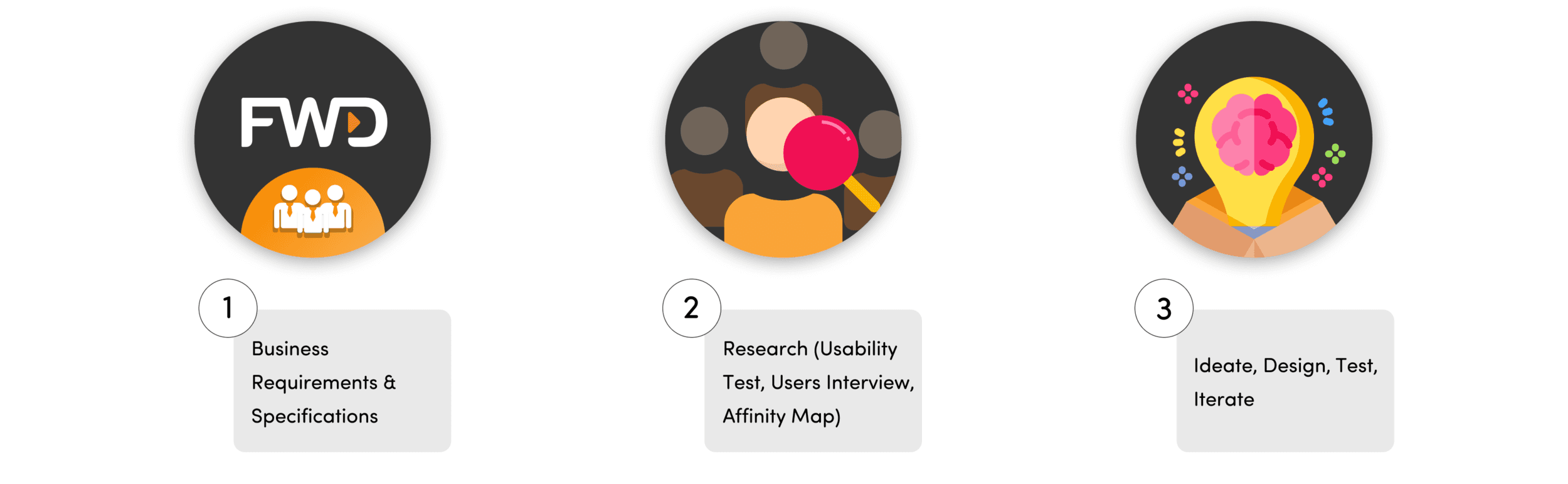
Business Requirements & Specifications
Collaborated with stakeholders to understand the cross-sell initiative — inspired by Amazon's post-purchase recommendations. The brief: after completing a purchase, guide customers through a short questionnaire to surface tailored insurance products with exclusive discounts. Every possible permutation and exit point had to be accounted for.
Research — Usability Test, User Interview, Affinity Map
Ran usability tests with two prototypes to determine optimal questionnaire placement. Prototype A triggered the questionnaire during the purchase journey (as a pop-up). Prototype B placed it after — as a dedicated screen. Followed up each session with user interviews, then synthesised findings using affinity mapping.
Ideate, Design, Test, Iterate
Used research insights to reframe the entire UX of the questionnaire. Rather than a standard form, I designed a mobile-first, visually engaging experience — colourful, conversational, and playful. Nothing that looked or felt like purchasing insurance.
Step 2 — Research
Usability testing with two competing prototypes
To determine where in the purchase journey the questionnaire should appear, I tested two distinct placements — mid-journey and post-journey. Results were decisive.
Questionnaire as a pop-up during the purchase journey — right after first quotation.
Landing Page → Get Quote → Questionnaire → Sales Journey → Pay → Voucher → X-Sell
Questionnaire at the end of the purchase journey — as a dedicated screen after payment.
Landing Page → Get Quote → Sales Journey → Pay → Voucher → Questionnaire → X-Sell
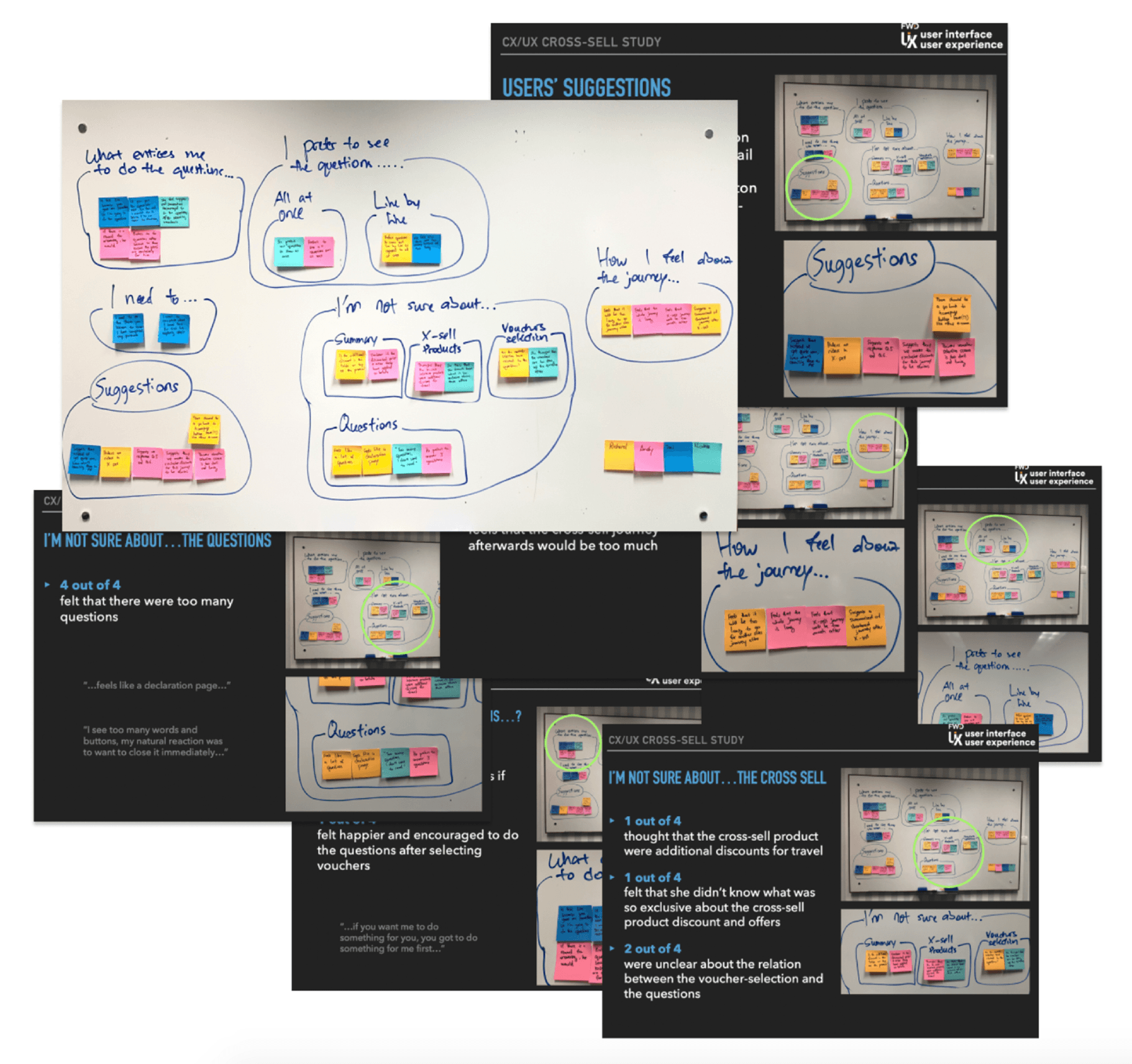
Research question mapping — structuring user interview goals
Affinity mapping — synthesising findings from usability test sessions
Research Insights
What the data told us
100%
of testers attempted the questionnaire after purchase — not during
When shown the questionnaire mid-purchase (Prototype A), all users bypassed it and completed their primary goal first.
75%
closed the questionnaire when it appeared during the purchase journey
Many closed without reading a single word. The timing was wrong — not the content.
100%
felt the questionnaire had too many questions
The business couldn't reduce question count. The answer was to redesign the experience so it didn't feel long.
100%
felt a second sales journey right after the first was too much
We couldn't remove the journey — but we could pre-populate forms and reduce friction for those who chose to proceed.
Design Approach
Four principles from research
Clear Journey Distinctions
Users must clearly feel they have completed their primary purchase before embarking on another. The second journey should never feel like a continuation of the first.
Enticement Through Reward
Users were most motivated to attempt the questionnaire after selecting their vouchers — a post-purchase reward moment. We leaned into this: the questionnaire came after the celebration, not before it.
Maintaining Engagement
To reduce the burden of a second sales journey, we pre-populated all known information — personal details, attachments, and coverage data — so users only had to confirm, not re-enter.
Reimagined Question Format
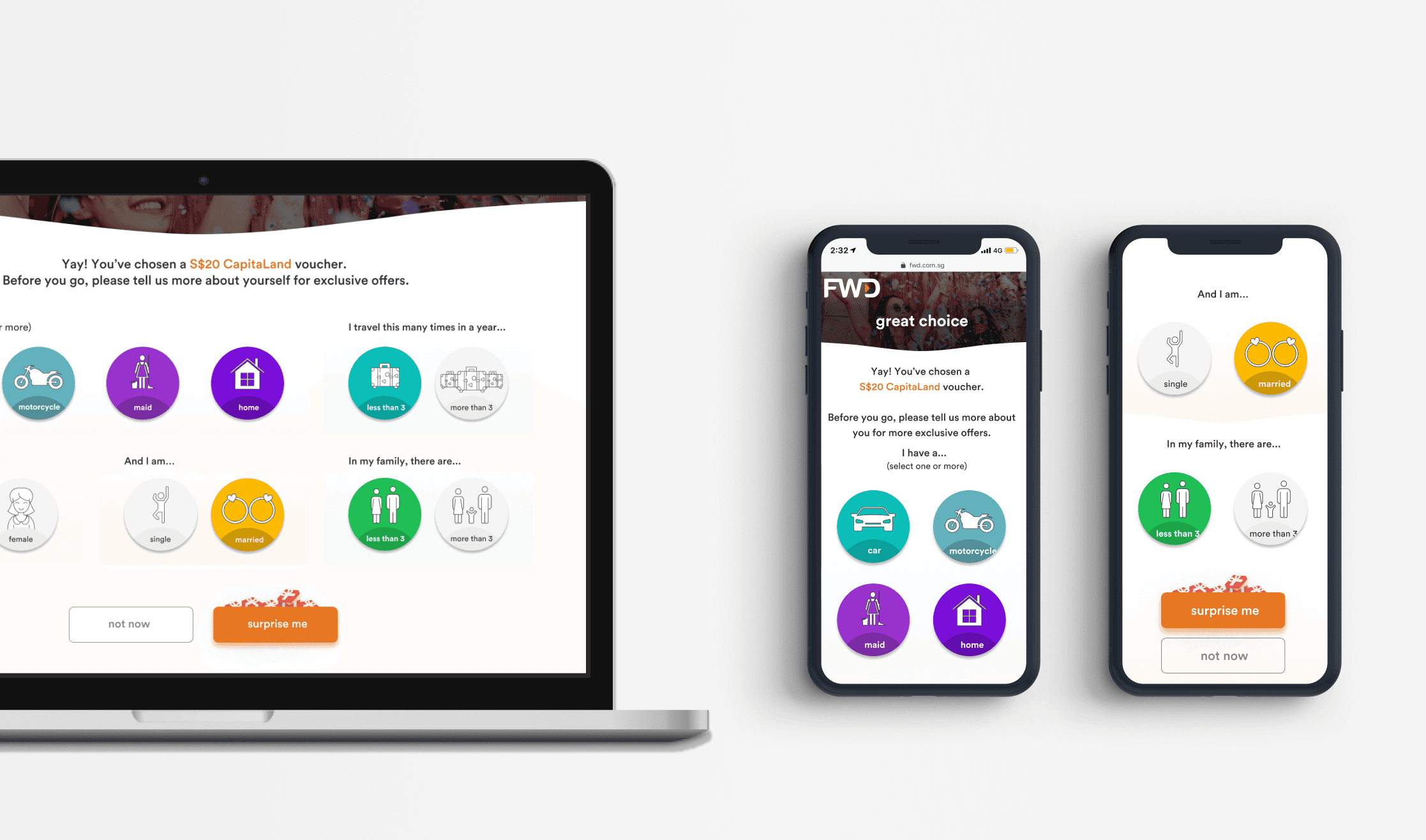
Since we couldn't reduce the number of questions for business reasons, we redesigned them completely. Bite-size screens, large iconographic choices, and a conversational tone replaced the form-filling aesthetic entirely.
Step 3 — Design
Nothing like purchasing insurance
I wanted this experience to be completely distinct from FWD's standard insurance journey — no benefit tables, no health declarations, no form-filling. Mobile-first, colourful, playful, conversational, and interactive with bite-size information on every screen.
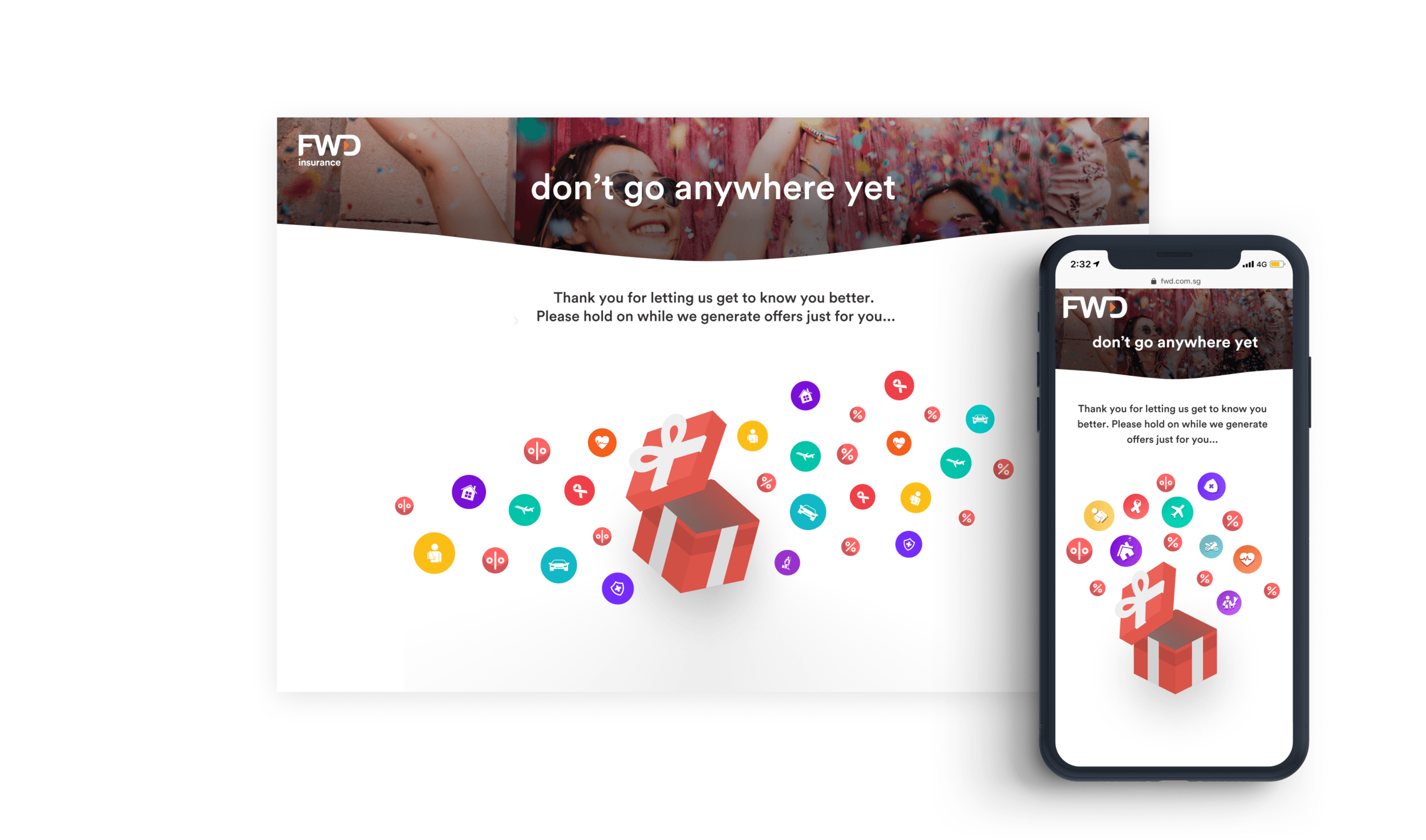
In Context
The questionnaire on device
Exit Strategy
Permutations & User Flows
Together with a Business Analyst, I mapped every possible permutation and user state across the X-SELL journey — from "no vouchers available" to "2+ voucher types" — with trigger points for SMS and email notifications at each stage.
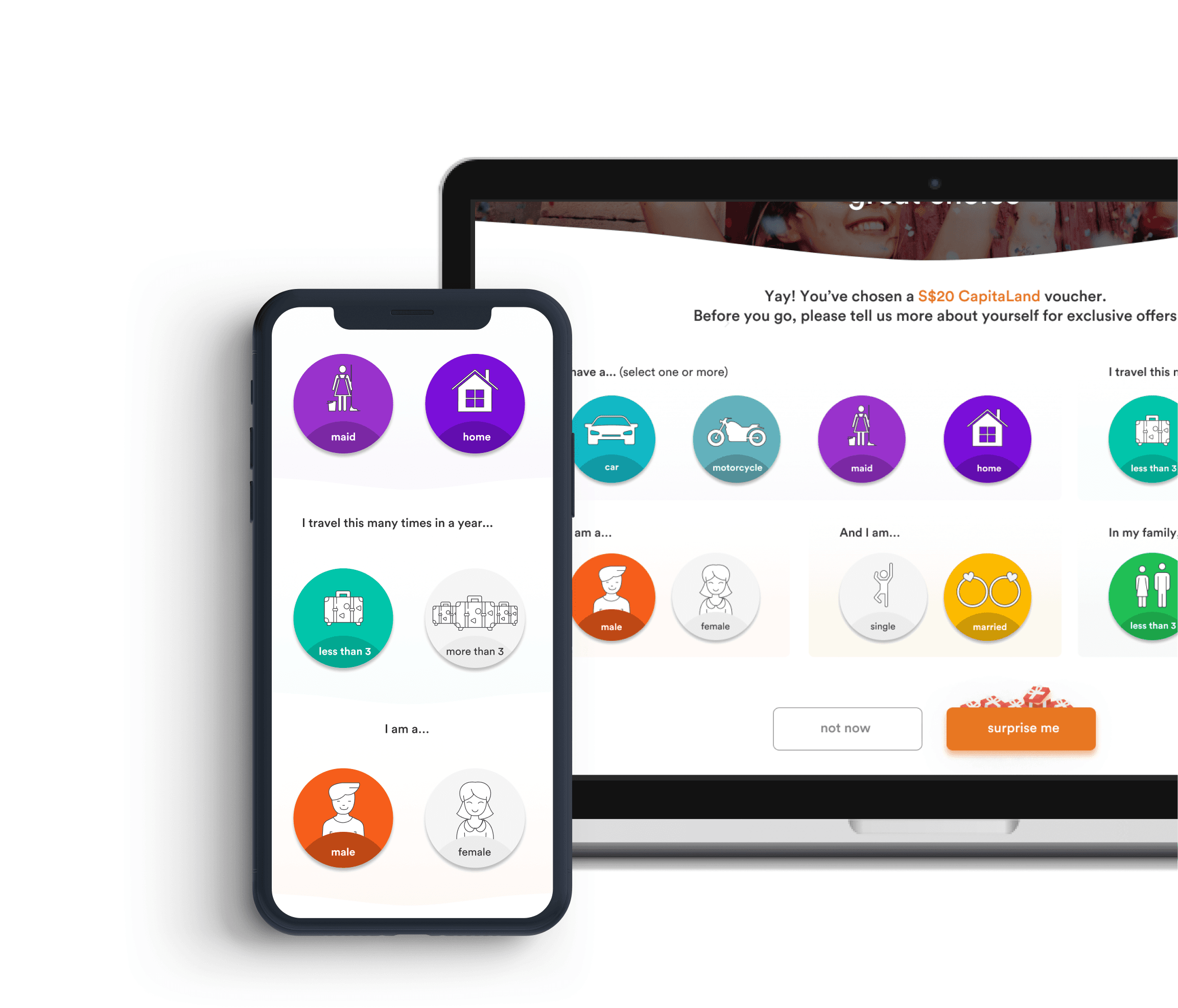
Complete permutations map: screens, conditions, and business logic at every stage
Results
Impact across 5 markets
↑ 28%
Acquisition funnel completion rate
↓ 67%
Avg. claims submission time
↑ 41%
NPS improvement post-redesign
5 markets
Singapore, HK, Thailand, PH, Vietnam
Key Insight
“The timing of a request matters more than its content. A well-designed feature shown at the wrong moment will be ignored — every time.”
The research didn't kill the X-SELL. It saved it. By moving the questionnaire to after the voucher selection — at the highest-enticement moment in the journey — we turned a feature that 75% of users were actively avoiding into one they chose to engage with.
Next Case Study
Indian Life Memorial
Designing for grief and building with AI